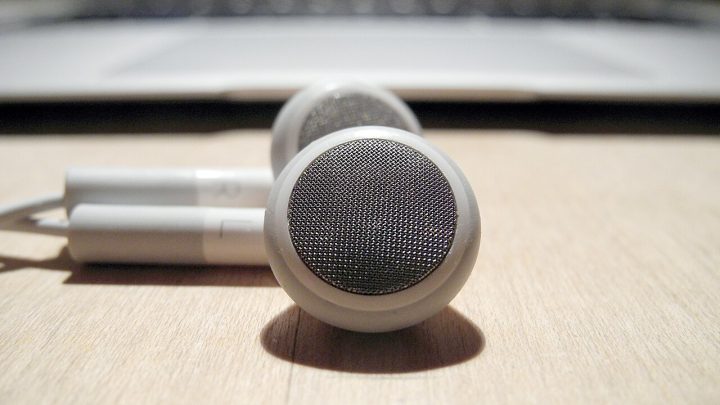
Keeping In-Ears Clean Without Damaging the Driver or Filter Mesh
 Cynthia Kuder

Clean the nozzle and the tip, never the inside of the housing, and most in-ears will last for years. The filter mesh behind the tip does the real work and is the easiest part to destroy, so the routine matters more than the tools.
What actually accumulates
Earwax is the main deposit, and it arrives in two forms. Soft wax coats the tip and the nozzle opening. Hardened wax forms a flake that can sit directly on the filter mesh and block it.
Skin oils and sweat follow the same path and mix with the wax. The result is a film that reduces the opening area slowly, which listeners usually notice as a loss of bass on one side rather than as a blockage.
Dust and lint collect on the mesh from storage in a pocket. That layer is easier to remove than wax and often mistaken for a driver fault.
The right routine
Remove the tip from the nozzle. Wash silicone tips in warm water with a drop of mild soap, rinse thoroughly and let them dry completely before refitting. Foam tips are usually replaceable rather than washable.
Wipe the nozzle with a dry, soft brush. A small brush intended for camera or hearing-aid cleaning works well because the bristles are stiff enough to lift flakes without pressing them into the mesh.
Never use a pin, a needle or a toothpick on the mesh. Puncturing it removes the acoustic damping that the mesh provides, and the result is a brighter and often distorted channel.
If wax has entered the nozzle, hold the housing nozzle-down and brush outward. Gravity does most of the work and keeps the deposit away from the driver.
When the mesh is blocked
A partially blocked mesh shows up as a measurable level difference between channels. If one side is consistently a few decibels quieter in the bass, the mesh is the first suspect.
Some models allow the mesh to be replaced. Where replacements are not sold, a careful brush and a short burst of air from a rubber bulb is the limit of what is safe.
Canned air is not recommended. The propellant can leave a residue and the pressure can push debris further in, past the point where it can be removed.
Storage and humidity
Store the earphones in their case rather than loose in a pocket. Pocket lint and keys do more damage to the mesh and the cable than the earphones will suffer in a year of use.
Humidity is the slow problem. A sealed case with a desiccant sachet keeps the driver’s surround from stiffening in a damp climate, which matters for any design using a paper or bio-cellulose diaphragm.
After a workout, wipe the housings before they go back into the case. Salty residue on the contacts and the mesh is harder to remove the following day.
Signs of damage rather than dirt
A crackle when the cable moves points to the connector, not to dirt. A sudden level drop on one side after a drop points to the driver or the internal wiring.
Distortion only at high volume usually means the driver is reaching its limit rather than the mesh being blocked, because a blockage costs level rather than adding artefacts.
Troubleshoot in order: tip, nozzle, mesh, cable, connector. Most problems are solved in the first two steps, and the last two are the ones that justify a repair.
Tools worth owning
A soft brush, a rubber bulb blower, a microfibre cloth and a supply of replacement tips cover everything that can be done safely at home.
Keep the brush dry. Solvents and water that reach the mesh or the driver can leave residue and, in some designs, dissolve the adhesive that holds the diaphragm.
A small storage case costs very little and prevents more damage than any cleaning routine can repair.
When to send for a service
Send the unit for repair if the fault follows the cable, if one channel distorts after cleaning, or if the housing has cracked around the nozzle.
Do not open a sealed housing. Most current designs use adhesives rather than screws, and opening them damages the housing beyond economic repair.
Where the fault is intermittent, record it on a phone before sending the unit. An intermittent fault that does not reproduce at the service centre is usually returned unchanged.